
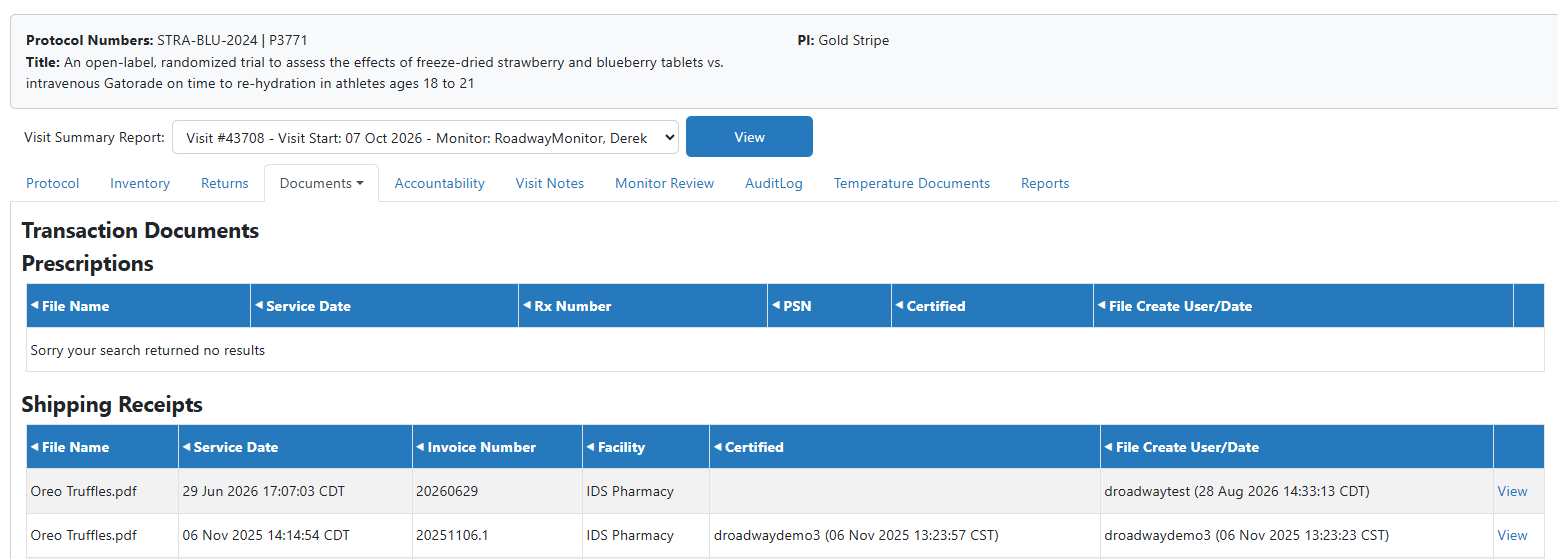
During active monitor visits, Vestigo Verify users have the option to download any documents that the site has uploaded to the protocol and marked visible to the monitor. Documents uploaded vary based on each site's SOPs, which means some protocols may have many documents, while others have none.
The Documents section allows Verify users to download Shipping Receipts, Protocol Documents, and various other documents. Temperature documents have their own tab.
Note - An active visit is required to view protocol documents.
- On the Vestigo Verify Homepage - My Visits Tab, click on View Protocols for an active visit
- Locate the protocol to review and click on View Protocol
- Depending on how the site setup the visit, Verify users may have multiple protocols on one visit.
- Hover your mouse over Documents
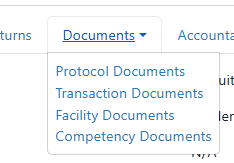
- Click on the type of Document you want to view
- Locate the file you want to review and click View on the right side
Clicking on View opens the file in a new tab in your browser, or it downloads the file, depending on the file type. If the file opens in the browser, in most cases users should be able to download the file using an on screen download button.
If you do not see a file that you suspect you should see, all questions should be directed to the IDS Pharmacy.
Document Types
Transaction Documents contain the following type of documents
- Shipping Receipts
- Prescriptions
- Patient Documents
- Drug Returns
- Patient Visit Documents (Some sites may or may not use Patient Visits)
Protocol Documents contain the following type of documents
- Protocol Information
- Dispensing Guidelines
- Communications/Memos
- Documents on the Patient/Subject Tab
- Order Documents
- Other
- Master Protocol Forms
Facility Documents contain the following type of documents
- Policies & Procedures
- Facility Licensure & Certificates
- Staff Licensure & Certificates
- Notes to File
- Other
Competency Documents do not have any types but are displayed with the associated competency.